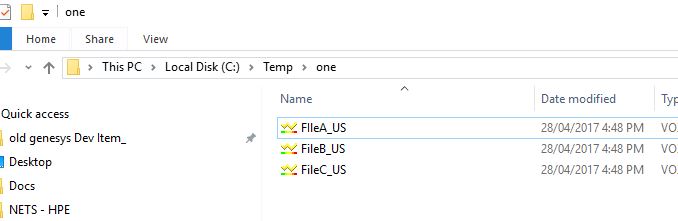
Example if you have filename e.g
001_US.txt
002_US.txt
003_US.txt
Desired output is (with _US removed)
001.txt
002.txt
003.txt
Change Line 13 to your directory containing the files
and
Change Sub String in Line 26
Code Snippet
1:
2:  ' -------------------------------------------------------'
3:  ' VBScript to Rename files, remove the last specfic sub string file a filename
4:  ' example if file names are like 001_US, 002_US, 003_US the sub string "_US" can be removed using this script
5:  ' NOTE: Its always good to have a backup before hand.
6:  ' Date : 31 May 2017
7:  ' Author : Muhammad Nauman Yousuf (nauman_yousuf@yahoo.com)
8:  ' -------------------------------------------------------'
9:
10:
11:  ' Variable declaration and initialization
12:   Dim oFS : Set oFS = CreateObject("Scripting.FileSystemObject")
13:   Dim sDir : sDir   = "c:\temp\one"
14:   Dim oFile
15:
16:
17:   'List the orignal Files
18:   WScript.Echo " --- Orgnal File Directory --- "
19:   For Each oFile In oFS.GetFolder(sDir).Files
20:     WScript.Echo oFile.Path
21:   Next
22:
23:   WScript.Echo "----- Rename Operation Started:"
24:
25:   For Each oFile In oFS.GetFolder(sDir).Files
26:            oFile.Name = Replace(oFile.Name, "_US", "")
27:            WScript.Echo "Renamed : " & oFile.Name
28:   Next
29:   WScript.Echo "----- Rename Operation Completed:"
30:
31:
32:   'List the orignal Files
33:   WScript.Echo " --- Final Directory List --- "
34:   For Each oFile In oFS.GetFolder(sDir).Files
35:     WScript.Echo oFile.Path
36:   Next
Sample Run

References
http://www.pctools.com/guides/scripting/id/2/?act=reference
http://www.pctools.com/guides/scripting/detail/80/?act=reference


